The Serverless PostgreSQL Dilemma: Connection Exhaustion & Cold Starts
Building modern web applications with Next.js App Router and serverless deployment targets (Vercel, AWS Lambda, Cloudflare Workers) offers incredible autoscaling. However, pairing ephemeral serverless functions with a traditional stateful relational database like PostgreSQL introduces a well-known engineering pitfall: connection exhaustion.
In a traditional monolithic Node.js application, an active connection pool of 20 connections handles thousands of concurrent requests. In a serverless architecture, each incoming request can spawn an isolated container that attempts to open a dedicated TCP connection to your Postgres instance.
When your traffic spikes, hundreds of concurrent lambda executions attempt to open connections simultaneously. PostgreSQL hits its max_connections ceiling, memory consumption spikes, and your Next.js API routes fail with 504 Gateway Timeouts.
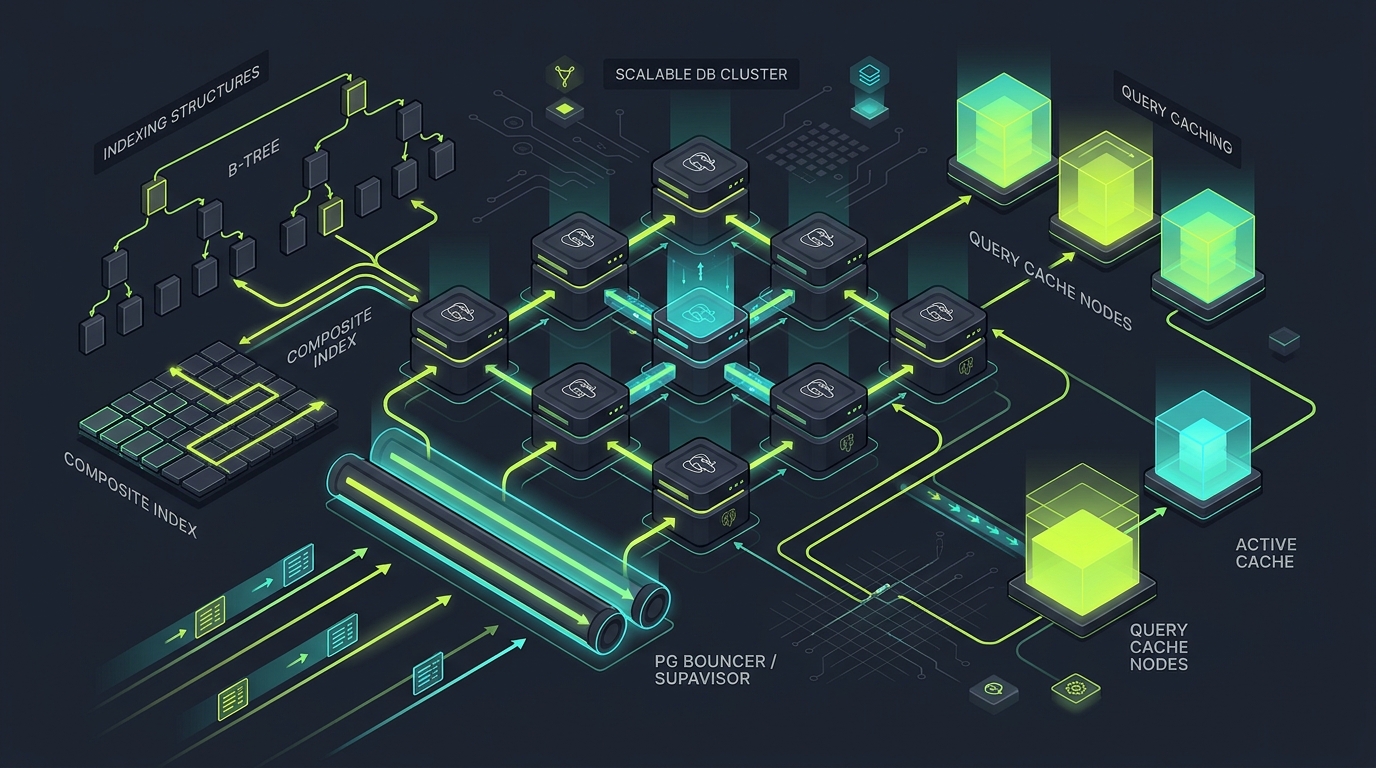
1. Connection Pooling Done Right: PgBouncer and Supavisor
To solve connection exhaustion, every high-scale serverless Next.js architecture requires a transaction-level connection pooler:
[Serverless Lambdas (1000s)]
           │ (Short-lived TCP)
           ▼
[Supavisor / PgBouncer (Transaction Pooler)]
           │ (Persistent connection pool of 30)
           ▼
[PostgreSQL Database Instance]
Key Implementation Guidelines:
- Use Transaction Pooling over Session Pooling: Transaction pooling releases the server connection back to the pool immediately after the SQL transaction finishes, allowing 25 physical Postgres connections to serve 5,000 concurrent serverless requests.
- Port 6543 vs Port 5432: When using managed PostgreSQL providers like Supabase or AWS RDS Proxy, ensure your Next.js production connection string points to the pooled port (typically
6543), reserving direct connections (5432) exclusively for schema migrations.
2. Indexing Strategies That Actually Move the Needle
Creating single-column indexes on every foreign key is a beginner mistake that slows down write operations without fixing query performance. High-throughput PostgreSQL requires strategic multi-column and partial indexing:
A. The Power of Partial Indexes
If you frequently query active or published records, indexing the entire table wastes RAM:
-- Bad: Indexes all 5,000,000 rows including archived items
CREATE INDEX idx_orders_status ON orders (status);

-- Good: Indexes only pending orders that require immediate processing
CREATE INDEX idx_orders_pending ON orders (created_at DESC)
WHERE status = 'pending';
This partial index is 90% smaller, fits entirely in PostgreSQL shared buffers, and executes in single-digit milliseconds.
B. Composite Index Column Ordering
When creating composite indexes for filtered queries with sorting, follow the Equality-Sort-Range rule:
- Columns with equality filters (
tenant_id = $1) come first. - Columns used for sorting (
ORDER BY created_at DESC) come second. - Columns with range comparisons (
price > $2) come last.
3. Eliminating the N+1 Query Trap in Modern ORMs
Whether you use Prisma, Drizzle, or raw SQL, modern developers frequently introduce catastrophic N+1 query patterns in React Server Components:
// The Latency Trap: 1 query for teams + N queries for members
const teams = await db.team.findMany();
const teamsWithMembers = await Promise.all(
  teams.map(team => db.user.findMany({ where: { teamId: team.id } }))
);
If you have 100 teams, this generates 101 separate round-trips over the network. In a serverless environment with 20ms network latency per query, the route takes over 2,000ms.
Instead, leverage SQL joins or batch loading:
SELECT
  t.id, t.name,
  json_agg(u.*) as members
FROM teams t
LEFT JOIN users u ON u.team_id = t.id
WHERE t.organization_id = $1
GROUP BY t.id;
This consolidates 101 queries into a single 4ms execution plan.
4. Query Analysis: Reading EXPLAIN ANALYZE
Never guess why a query is slow. Run EXPLAIN (ANALYZE, BUFFERS):
- Look out for Seq Scan (Sequential Scan) on tables with more than 10,000 rows.
- Ensure that Rows Removed by Filter is low. If millions of rows are being filtered in memory, your index is not selective enough.
- Watch Shared Hit Blocks vs Shared Read Blocks. High disk reads indicate your working dataset exceeds memory allocation.
Summary Checklist for Production
- Route all serverless Next.js queries through a transaction pooler.
- Replace full-table indexes with targeted partial indexes on high-cardinality status flags.
- Monitor query plans with
pg_stat_statementsto detect slow queries before they trigger alerts. - Keep connection lifetimes short in serverless database clients.